Play the Pianoyou've always wanted to play
Learn, practice and perform on your piano. Harmono hears you play with real-time feedback
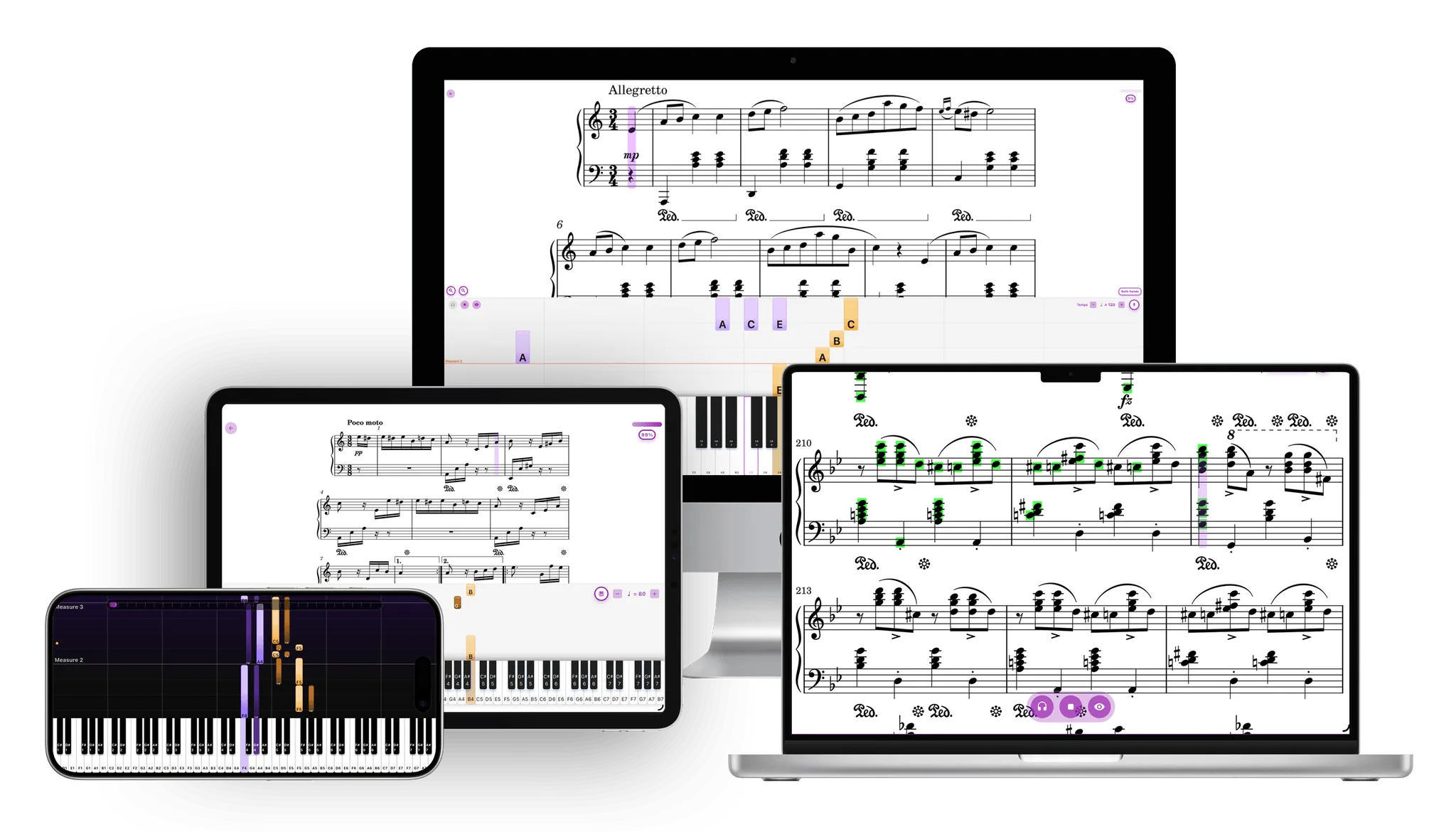
The right mode for every stage of your piano journey
Whether you're learning your first piece or polishing for a recital, there's a play mode designed for exactly where you are.
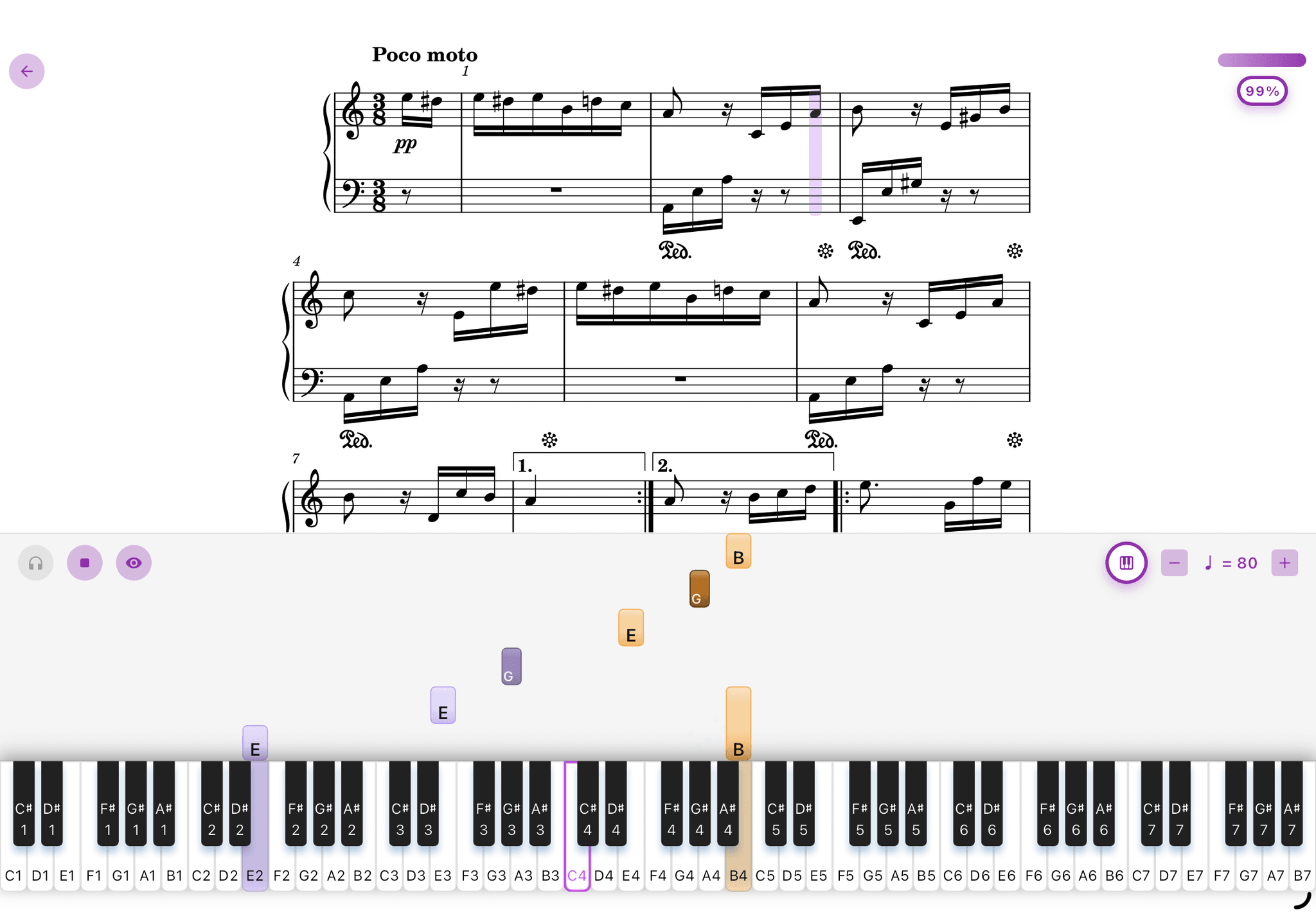
See the musicas you play
Falling tiles show exactly when and how long to hold each note and let you see the beats directly, while perfectly synced to the score. The cursor waits until you play the right notes - no rushing, no pressure. Just you and the music, one bar at a time.
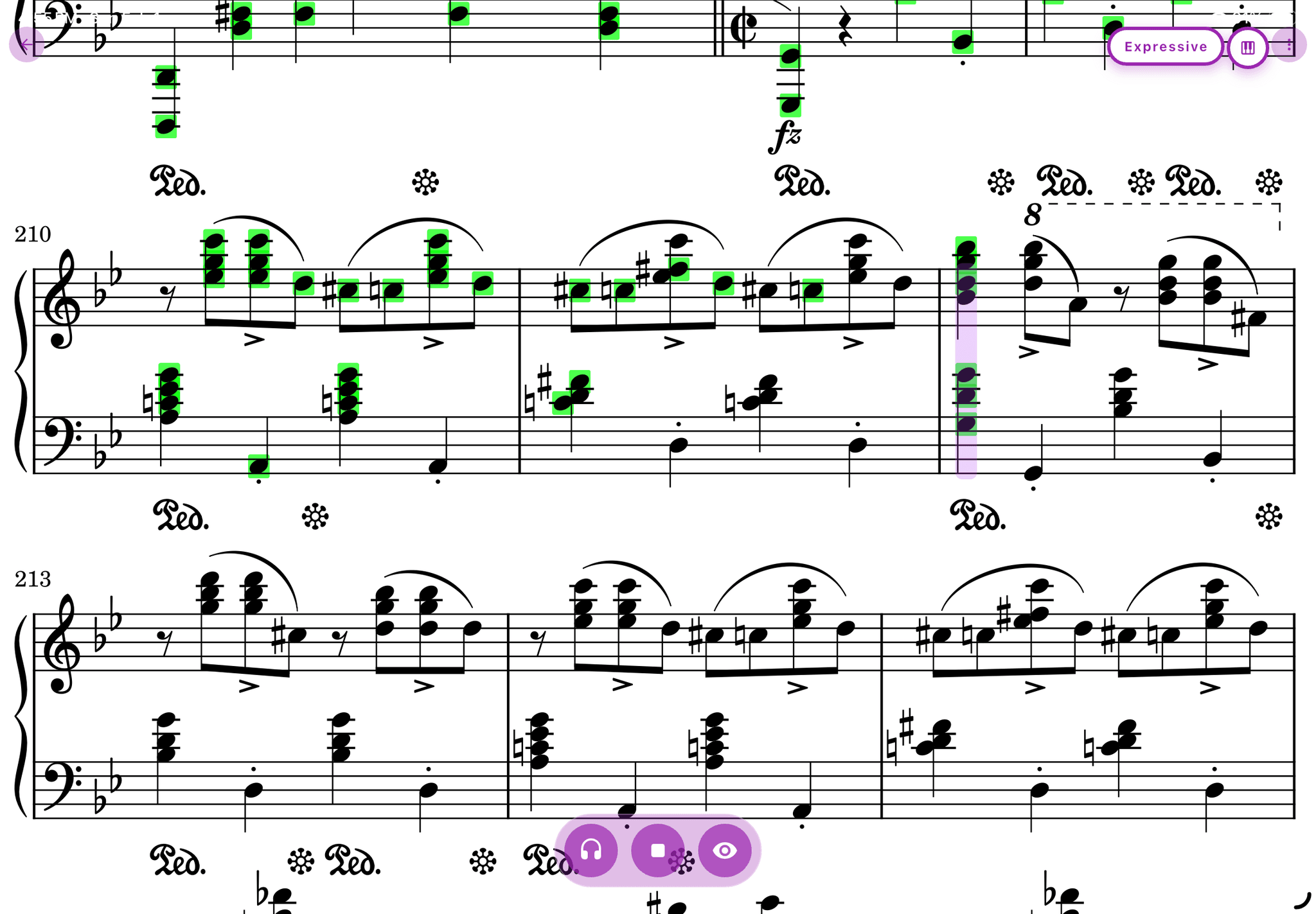
Focus on whatneeds work
Get real-time feedback as you play, and never turn a page again. The score follows you as you play, and wrong notes flash instantly so you can catch them on the spot. After each session, see exactly which measures need attention and review moments of hesitation or rushing. No more guessing where to drill.

Rehearse likeit's showtime
Run complete performances with minimal visual cues, just like the real stage. Get masterclass-level feedbacks on rubato, dynamics, phrasing, and voicing to refine your interpretation.
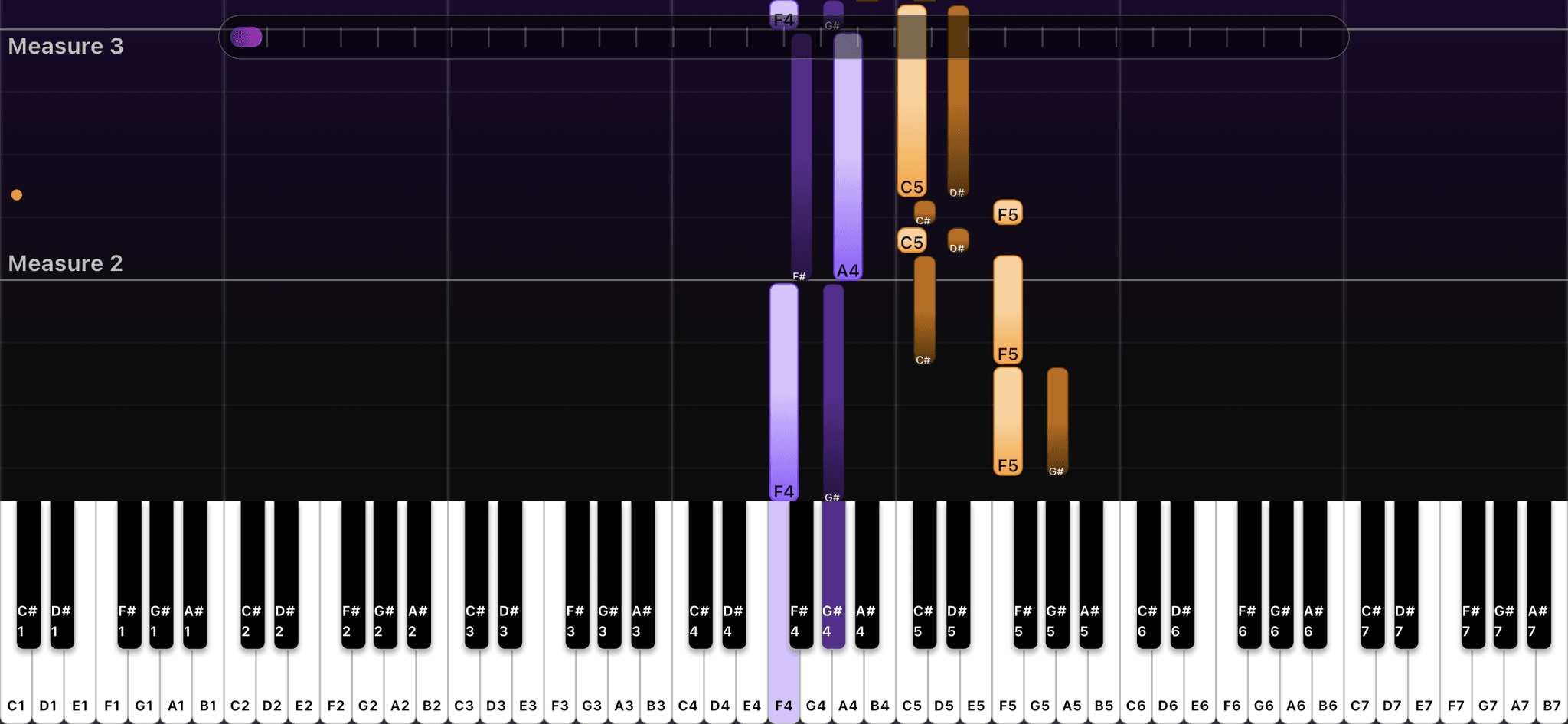
Just playfor the joy of it
Piano roll mode is a keyboard-first way to enjoy piano without worrying about notation. Falling notes show you exactly what to play, so you can jump straight into your favorite melodies - starting with just one hand while Harmono provides an adaptive accompaniment that follows you. Perfect for unwinding and playing for the fun of it.
Turn any performance into sheet music
Play on your piano, record a live performance, or upload an audio file - Harmono transcribes it into real sheet music, right before your eyes.
Also on iPhone, iPad & Android. Get the app
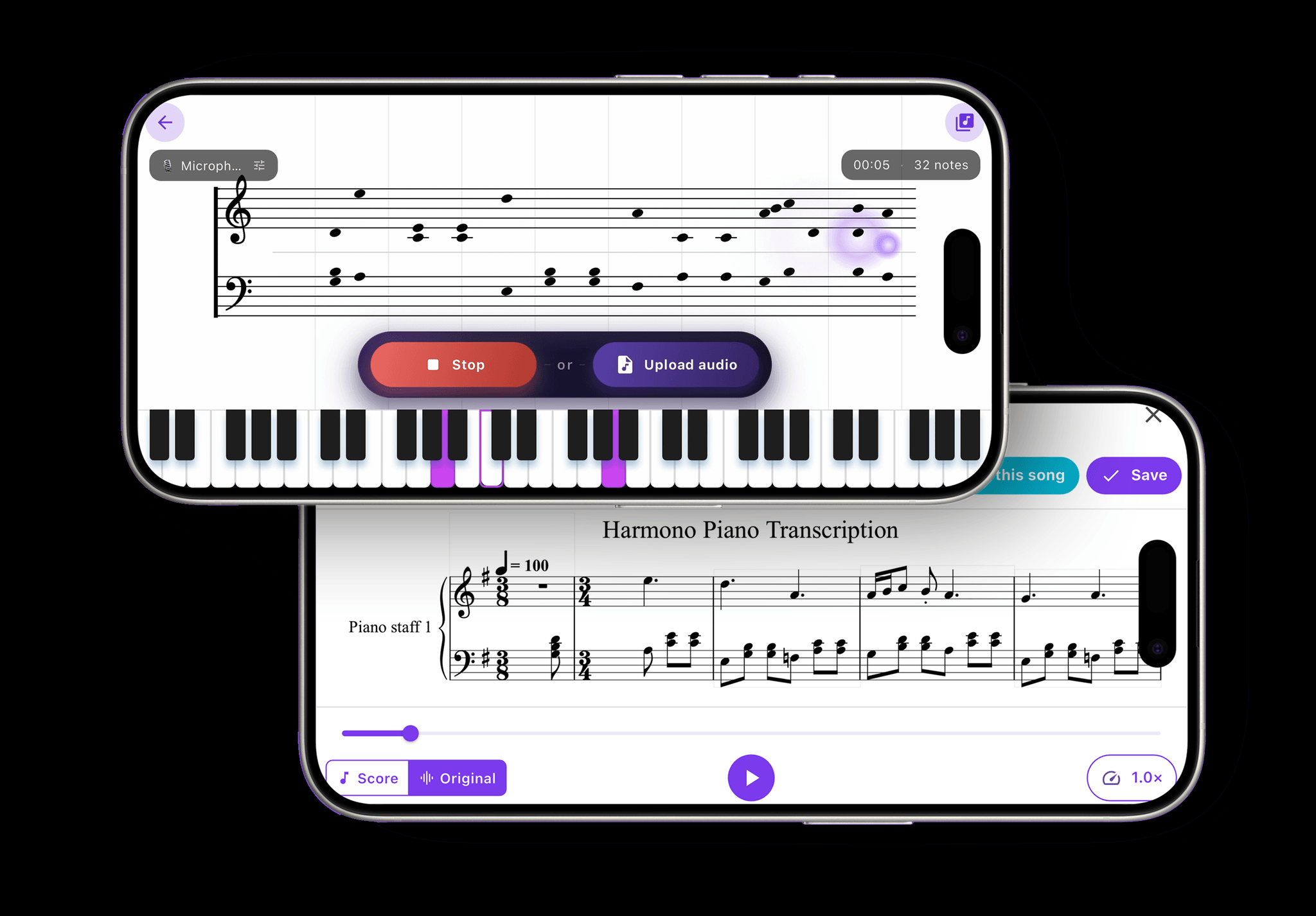
Audio → sheet music
Watch the notes appear live as Harmono transcribes what it hears. Capture your own playing, an audio recording, or an uploaded file, then export the result to PDF or MIDI - or turn it into a falling-tiles tutorial you can learn to play.
Create your own piano roll tutorial video
Import any piano audio, video or MIDI file - Harmono listens to the performance and maps every note into a piano roll visualization, perfectly synced to the original.
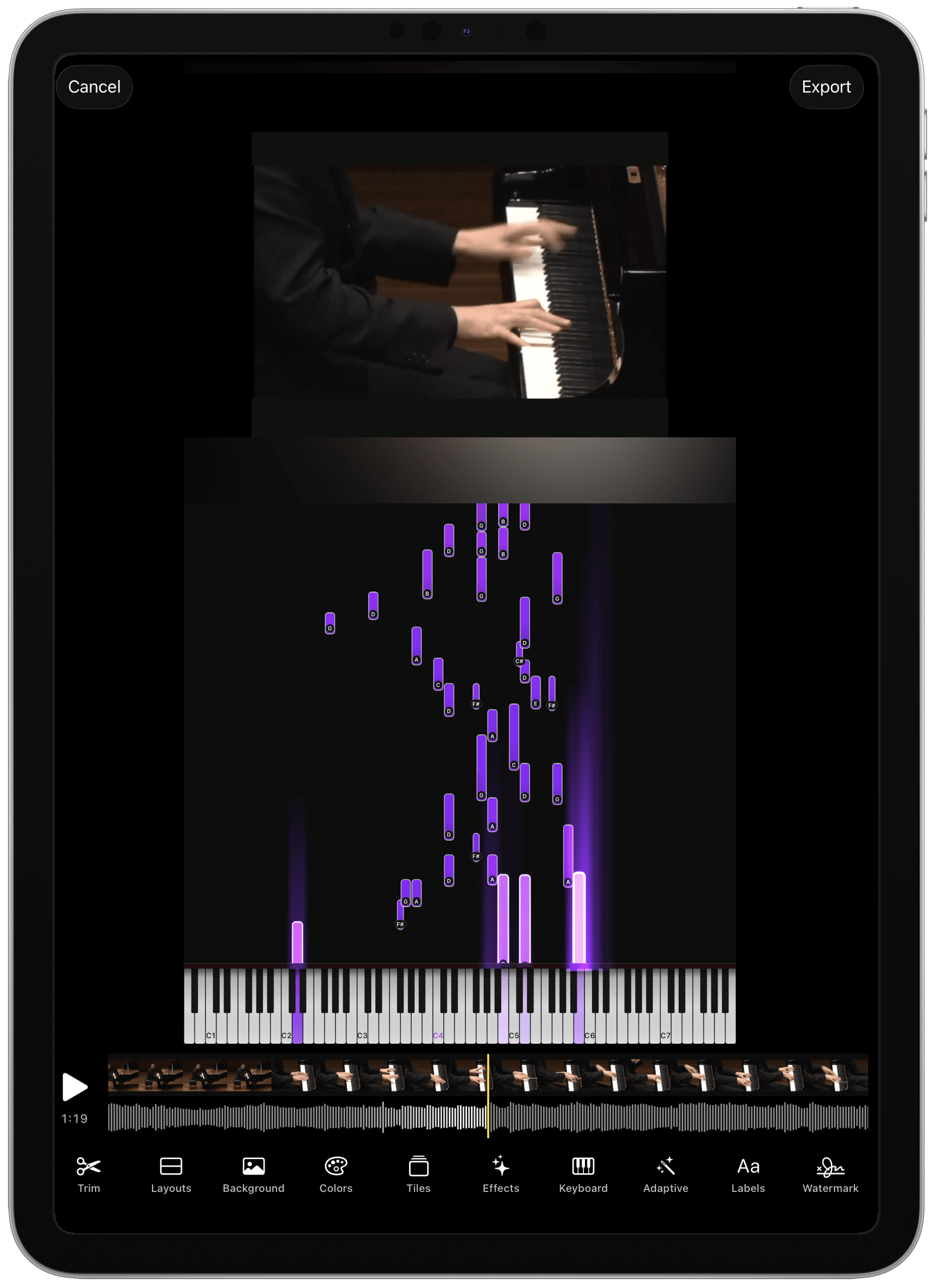
Audio → piano roll
Drop in an link, audio file, a video or MIDI, and watch every note fall into place in real time, locked to the original recording. Make it yours with custom note colors, effects and backgrounds, then trim and export the video. Or, step into piano roll practice mode, where Harmono hears you play, waits for you, and flags wrong notes as you go.
FAQ
Quick answers about setup, modes, and who Harmono is for.
No. Harmono works with any piano, including acoustic, digital, or MIDI and requires no setup. You can choose microphone or MIDI as input. Just open the app, tap start, and begin playing.
If you're new or want note-by-note guidance, start with Learning mode. If you read sheet music and want targeted improvement, use Practice mode. If you're preparing to perform, use Audition. For fun without notation, try Piano Roll mode.
A visual layer synced to the score that helps you see note duration and rhythm directly while learning note-by-note. It's like having a guide that shows exactly when and how long to play each note.
Get clear feedback on pitch accuracy, tempo stability, and the exact measures where you hesitated or rushed, or leaned into a thoughtful rubato. You can also listen back to your performance, perfectly synced to the score.
Audition is a continuous, performance-style run-through with minimal on screen cues, followed by masterclass-style feedback on rubato, dynamics, phrasing, voicing, and more musical nuances. It shifts the focus from mechanical accuracy to artistic interpretation, making it ideal for polishing pieces you already play fluently.
A low-pressure way to play for fun without reading sheet music. Falling notes and keyboard-first guidance help you explore timing and pitch, while gently encouraging notation skills over time. A perfect way for beginners to start piano and stay motivated.
Yes! You can upload and play interactively in all the modes with your own sheet music file. Accepted formats: MusicXML (.xml, .musicxml, .mxl) or MIDI (.mid, .midi)
Yes! You can explore all modes with limited features for free. Upgrade to Harmono Pro anytime unlock the full experience.
If you teach piano, Harmono works for studios and schools too
Harmono for education